
Download Negative Space – AI Text‑to‑Image Generator, Free & Secure
Overview
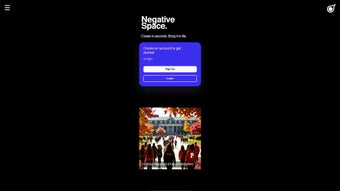
Negative Space Beta is a modern, AI‑driven graphic creation platform that translates short, natural‑language prompts into high‑quality visual artwork in seconds. The service is built around a clean, browser‑based interface that eliminates the need for heavyweight design software, making it accessible to anyone with an internet connection. When you first arrive on the homepage, a prominent “Start Creating” button invites you to type a description such as “a neon‑lit cyberpunk city at dusk” or “a vintage travel poster of the Grand Canyon”.
Within a few seconds the AI engine produces a polished image that captures the core idea, complete with color harmony, composition balance, and stylistic details. The platform’s free tier allows you to generate two images without registering or providing payment information, which is ideal for quick experimentation or for users who want to test the technology before committing. After the free quota, additional generations are available through a straightforward credit‑based system or a monthly subscription that unlocks higher‑resolution downloads, unlimited variations, and priority processing.
Beyond digital output, Negative Space integrates a built‑in e‑commerce marketplace where generated artwork can be printed on a variety of merchandise—stickers, canvas prints, posters, phone cases, and more. The checkout flow is fully embedded, supports major credit cards and PayPal, and uses SSL encryption to protect personal and financial data. Customer support is offered via live chat and email, ensuring that questions about image quality, printing options, or account management are answered promptly.
Whether you are a marketer looking for eye‑catching social media graphics, an educator needing custom visual aids, or a hobbyist eager to explore generative art, Negative Space provides a free, secure, and instantly rewarding experience that bridges the gap between imagination and tangible design.
Key Features
- AI Prompt‑to‑Image Engine: Converts concise text prompts into high‑resolution graphics within seconds, leveraging state‑of‑the‑art diffusion models.
- No‑Account Starter Pack: Generates the first two images free of charge and without any sign‑up, reducing barriers for new users.
- Print‑On‑Demand Marketplace: Directly order stickers, canvas prints, posters, phone cases, and more, with automatic scaling and preview.
- Secure Checkout: Integrated payment gateway supports Visa, MasterCard, American Express, Discover, and PayPal, all protected by SSL/TLS encryption.
- Cross‑Platform Accessibility: Fully web‑based; works on Windows 10/11, macOS Ventura+, Linux distributions, Android 8.0+, and iOS 13+ browsers.
- Live Customer Support: Real‑time chat and ticketed email support for troubleshooting, creative guidance, and order inquiries.
- Continuous Model Updates: The AI engine receives weekly refinements that improve style fidelity, color accuracy, and artifact reduction.
- Multiple Export Formats: Download creations as PNG, JPEG, or SVG; higher‑resolution options become available to paid subscribers.
- Project Cloud Storage: Recent works are saved automatically in the cloud, allowing you to retrieve and edit them from any device after logging in.
- Flexible Licensing: Commercial use rights are granted for all generated images, enabling you to incorporate them into marketing campaigns or product designs.
Installation & Usage Instructions (Including Compatibility)
Compatibility: Because Negative Space is delivered as a SaaS web application, there is no client‑side installation required. The service runs smoothly on any modern browser—Chrome, Firefox, Edge, or Safari—provided the device meets a minimum of 2 GB RAM and a stable broadband connection (recommended 5 Mbps download speed). The responsive design adapts to desktop monitors, tablets, and smartphones, ensuring a consistent experience across Windows, macOS, Linux, Android, and iOS platforms.
Step‑by‑Step Guide:
- Open the Platform: Navigate to negativespace.ai and click the bright “Start Creating” button on the landing page.
- Craft Your Prompt: In the input field, type a clear, visual description (e.g., “a retro‑style travel poster of Kyoto during cherry blossom season”). The AI performs best with concrete nouns, adjectives, and style cues.
- Generate & Refine: Press “Generate.” The engine produces a preview within 3‑5 seconds. Use “Regenerate” for a fresh take or “Edit Prompt” to tweak specific elements such as color palette or perspective.
- Download or Print: When satisfied, click “Download” to save the file locally, choosing PNG, JPEG, or SVG. To order a physical product, select “Print on Merchandise,” pick the desired item, adjust dimensions, and add it to the cart.
- Checkout Process: Review your cart, apply any promo codes, and proceed to the secure payment page. After completing the transaction, you’ll receive an order confirmation email with an estimated delivery date.
- Access Cloud Projects: If you create an account after the free trial, all recent projects are stored in your personal cloud workspace, accessible from any device by signing in.
- Support & Feedback: Should you encounter any issues—such as unexpected artifacts or order questions—use the live‑chat widget in the lower‑right corner or email [email protected] for assistance.
Because the platform updates automatically on the server side, you never need to download patches or reinstall software. All enhancements, bug fixes, and new style models are applied instantly the next time you load the page, guaranteeing you always work with the latest technology.
Pros and Cons, FAQ, and Conclusion
Pros
- Two free generations without registration—great for quick tests.
- Intuitive, no‑learning‑curve UI suitable for beginners and professionals alike.
- Integrated print‑on‑demand marketplace streamlines the transition from digital to physical.
- Fully responsive web app works on desktops, tablets, and smartphones.
- Weekly AI model updates continually improve output quality.
- Secure, PCI‑compliant checkout with multiple payment options.
- Commercial licensing included for all generated assets.
Cons
- After the initial two free images, additional generations require credits or a subscription.
- High‑resolution downloads and some export formats are limited to paid tiers.
- Print products are restricted to the built‑in marketplace; external printing services cannot be linked.
- Complex or ambiguous prompts may produce abstract results that need refinement.
- Cloud storage is tied to an account, so users who remain anonymous cannot save projects beyond the session.
Frequently Asked Questions
How many images can I generate for free?
You can create two images without any account or payment. After that, you may purchase credits or subscribe to a monthly plan for unlimited generations.
Do I need to install any software?
No. Negative Space runs entirely in your web browser, making it compatible with Windows, macOS, Linux, Android, and iOS devices.
Can I print my AI‑generated art on custom sizes?
Yes. The marketplace offers multiple size options for each product type, and you can preview how the image scales before adding it to your cart.
Is my personal data safe during checkout?
All transactions are protected by SSL encryption, and credit‑card details are processed by a reputable third‑party gateway. Negative Space does not store raw card numbers.
What file formats are available for download?
Generated images can be downloaded as PNG, JPEG, or SVG. Higher‑resolution and vector options are reserved for paid subscribers.
Negative Space Beta successfully merges the power of AI image synthesis with a seamless e‑commerce workflow, delivering a tool that feels both cutting‑edge and approachable. The free starter quota lowers the entry barrier, while the subscription model provides clear value for power users who need higher‑resolution assets or frequent prints. Although the platform limits some advanced features to paying customers, the overall experience remains robust, secure, and highly usable across all major operating systems. For anyone seeking to generate custom graphics quickly—whether for marketing, education, or personal projects—Negative Space offers a compelling blend of creativity, convenience, and commercial readiness.
Ready to turn your ideas into stunning visuals? Download Negative Space now, generate your first two images for free, and explore the built‑in print marketplace to bring your digital creations into the physical world. Join a growing community of creators who are redefining visual storytelling with AI‑driven design.



.png)



